This meeting will be recorded and later converted into a Domain Storytelling diagram. Follow these 15 guidelines to help capture the process accurately — skim the checklist for a quick reminder during the meeting, or read the full guide below beforehand.
- 1. Describe one specific scenario
- 2. Start with a clear beginning and ending
- 3. Tell the story one action at a time
- 4. Name the person or system performing every action
- 5. Name the item being used or exchanged
- 6. Use the language people actually use at work
- 7. Explain where information comes from
- 8. Keep events in chronological order
- 9. Separate the current process from the future process
- 10. Separate the normal path from exceptions
- 11. Distinguish facts from assumptions
- 12. Say when different departments use different terms or processes
- 13. Avoid designing the solution too early
- 14. Speak in complete, explicit sentences
- 15. Help us confirm the story at the end
Infographic
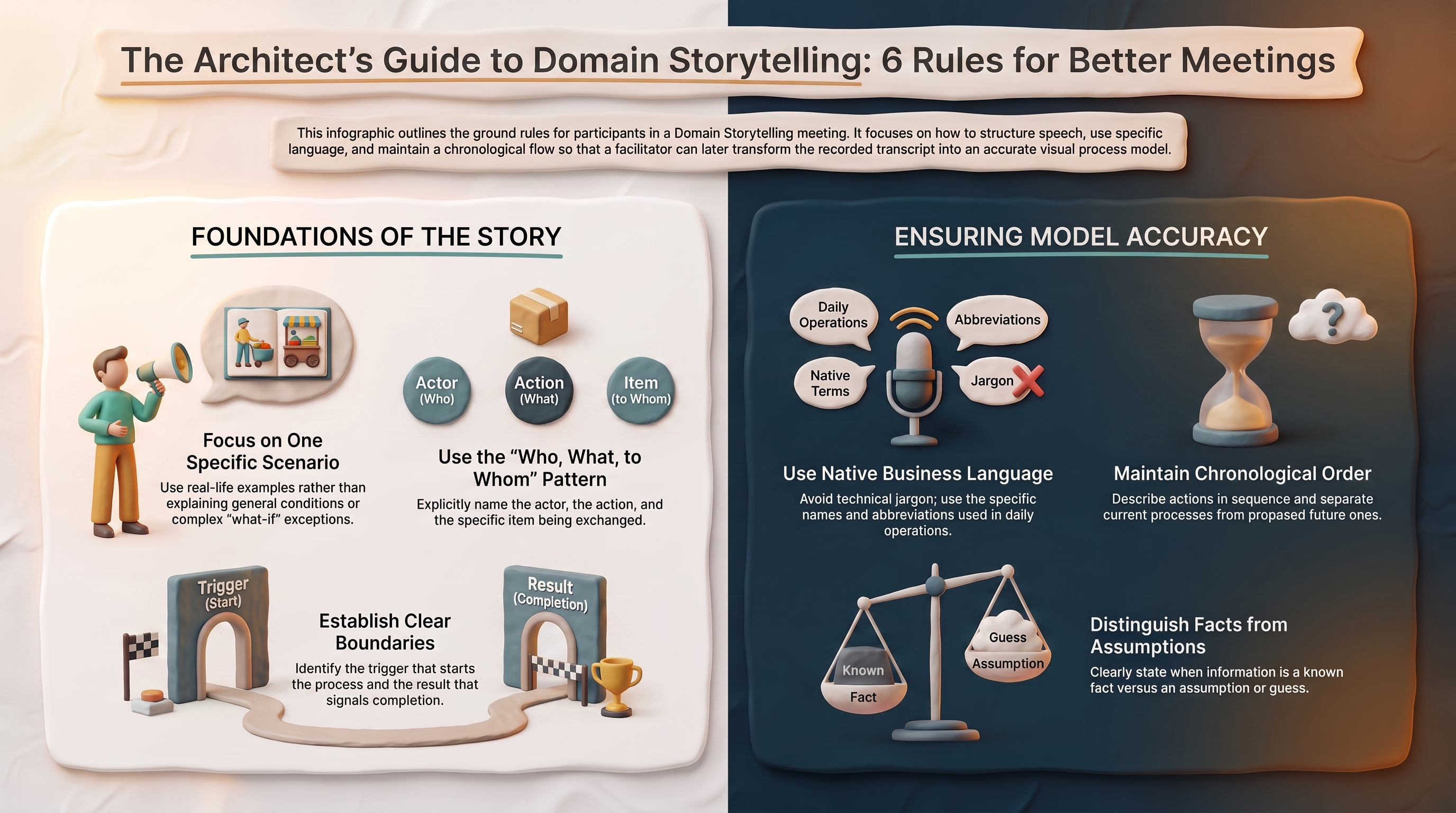
Full Guide (PDF)
Guidelines in detail
1. Describe one specific scenario ↑ checklist
Tell us about one real or realistic example rather than explaining the entire process at once.
Instead of "Usually we receive different kinds of requests and process them depending on several conditions," say "Let's use the example of a parent requesting a Vietnamese interpreter for an ARD meeting."
We will begin with the most common or normal case — the path that happens most of the time. We can discuss exceptions afterward.
2. Start with a clear beginning and ending ↑ checklist
At the beginning, identify: what triggers the process, who begins it, and what result tells us the process is complete.
"The process begins when the campus submits an interpreter request. It ends when the interpreter completes the meeting and the service is documented."
3. Tell the story one action at a time ↑ checklist
Please avoid jumping ahead or summarizing several actions in one sentence. Use this pattern: Who does what, with what, and to whom?
"The campus secretary sends the interpreter request to the language services coordinator." Then pause before explaining the next action.
4. Name the person or system performing every action ↑ checklist
Avoid phrases such as "It gets sent," "They review it," "The system processes it," or "Someone approves it." Instead, identify the actor clearly.
"The campus secretary sends the request." · "The language services coordinator reviews the request." · "The scheduling system sends the confirmation."
An actor may be a person, a group, a department, or a software system.
5. Name the item being used or exchanged ↑ checklist
Whenever someone creates, reviews, changes, sends, receives, or approves something, name that item — request form, email, student record, invoice, schedule, report, confirmation, case file, spreadsheet.
Please distinguish between different items rather than calling everything "it," "the information," or "the document."
6. Use the language people actually use at work ↑ checklist
Use your normal business terms, even when they are abbreviations or specialized expressions. When a term could be misunderstood, explain it briefly.
"When I say IHPT, I mean an interpreter who is also a district employee working through the in-house program."
Do not replace the organization's normal language with technical or software terminology unless the organization genuinely uses that terminology.
7. Explain where information comes from ↑ checklist
When someone makes a decision or performs an action, explain what information they use.
"The coordinator checks the request form to find the language, date, location, and meeting type."
Useful questions: Where does the person get that information? What document or system do they look at? How do they know what to do next? What rule or condition influences the decision?
8. Keep events in chronological order ↑ checklist
Describe what happens first, second, third, and so forth. When returning to an earlier point, say so clearly.
"I need to go back to the second step. Before the coordinator contacts an interpreter, she checks whether an in-house interpreter is available."
Avoid moving repeatedly between the current process, past process, and proposed future process.
9. Separate the current process from the future process ↑ checklist
State whether you are describing what happens today, what should happen in the future, or what happened in a previous version of the process. Do not mix these versions inside the same story.
"Right now, the campus emails the form. In the future process, the campus will submit it through the portal."
These should normally become separate domain stories.
10. Separate the normal path from exceptions ↑ checklist
First, complete the normal or most common case. Afterward, identify exceptions such as missing information, rejected requests, unavailable staff, late submissions, system failures, cancellations, urgent cases.
Do not interrupt every normal step with all the possible exceptions. We will record important exceptions separately or add them as annotations.
11. Distinguish facts from assumptions ↑ checklist
Use phrases such as "This always happens," "This usually happens," "I believe this happens, but someone from Finance should confirm," "This is an assumption," or "The written policy says this, but actual practice is different."
This helps us avoid turning uncertainty into an incorrect diagram.
12. Say when different departments use different terms or processes ↑ checklist
Disagreement is useful. Do not force agreement by using vague language.
"Student Services calls this an intake form, but our department calls it a service request." Or: "Campus A sends the request to the coordinator, but Campus B sends it directly to the vendor."
Differences may reveal separate processes, organizational boundaries, or different meanings hidden behind the same term.
13. Avoid designing the solution too early ↑ checklist
During the first discussion, focus on understanding the business process. Instead of immediately saying "The new application should automatically assign the interpreter," first explain "Today, the coordinator reviews availability and selects an interpreter."
We can discuss software changes after the current process is understood.
14. Speak in complete, explicit sentences ↑ checklist
Because the diagram will be created from the transcript later:
- Avoid several people speaking at once
- Avoid relying only on gestures
- Say the name of a document rather than pointing and saying "this"
- Say the role instead of only using a person's name
- Explain unexplained acronyms
- Pause after each major step
- Correct mistakes verbally so the correction appears in the transcript
"Let me correct that. The principal does not approve the request. The Special Education coordinator approves it."
15. Help us confirm the story at the end ↑ checklist
At the end, we will retell the process from beginning to end. Please listen for:
- Missing steps
- Incorrect actors
- Incorrect order
- Missing documents or information
- Terms that were used inconsistently
- Exceptions that deserve a separate story
- Places where participants disagree
The story is complete only when the people who perform the work agree that it accurately represents the selected scenario.